
How to Sell Custom T-Shirts with WooCommerce is one of the most common questions for entrepreneurs looking to start an online personalized clothing business.
If you’re looking for a complete WooCommerce product personalization solution, explore the LiveProduct Customizer Features page.
Whether you want to sell custom T-shirts with names, logos, photos, or unique designs, WooCommerce provides a solid foundation for your online store. However, creating a professional customization experience requires more than the default WooCommerce features.
In this guide, you’ll learn everything you need to start selling personalized T-shirts with WooCommerce, from choosing the right setup to offering live product previews, text personalization, image uploads, and a seamless customer experience.
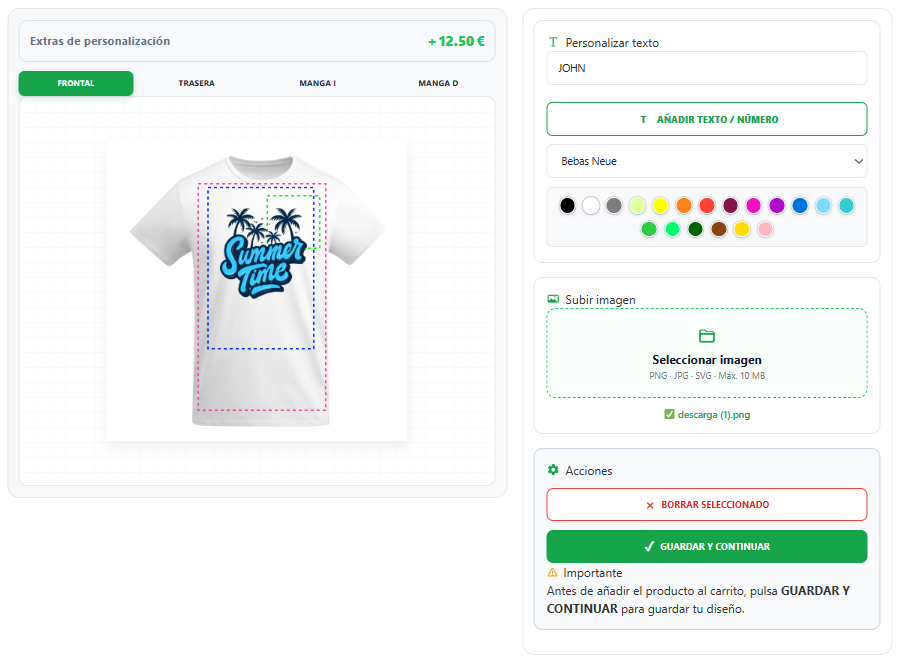
Why Sell Custom T-Shirts Online?
The demand for personalized T-shirts continues to grow every year. Businesses, sports teams, schools, events, influencers, and individual customers all look for unique apparel that reflects their identity.
Selling custom T-shirts online also offers several advantages:
- High profit margins.
- Unlimited design possibilities.
- Personalized products with higher perceived value.
- Opportunities to sell to both individuals and businesses.
- Easy integration with print-on-demand or in-house production.
With the right WooCommerce setup, you can build a scalable business that allows customers to create their own designs before completing the purchase.
Can WooCommerce Sell Personalized T-Shirts?
WooCommerce is an excellent platform for selling T-shirts online, but it doesn’t include product personalization features by default.
Customers can choose product variations such as size and color, but they can’t add their own text, upload logos, place images, or preview the final design before ordering.
For businesses that sell personalized apparel, this creates unnecessary manual work, often requiring emails, file exchanges, and design approvals after the purchase.
Adding a professional product personalization solution, such as LiveProduct Customizer, allows customers to customize their T-shirts directly on the product page, making the buying experience faster, easier, and much more engaging. If you’re looking for a complete WooCommerce product designer, it’s important to choose a solution that supports live previews, text editing, image uploads, and multiple print areas.
What Do You Need to Start Selling Custom T-Shirts?
Before you start selling personalized T-shirts, it’s important to have the right foundation. A professional WooCommerce store usually includes:
- A WordPress website.
- WooCommerce installed and configured.
- Product variations for sizes and colors.
- High-quality product mockups.
- A product personalization plugin such as LiveProduct Customizer.
- A printing method such as DTF, DTG, screen printing, or embroidery.
- Clear pricing for different personalization options.
Having these elements in place allows customers to personalize their T-shirts without needing to contact you before placing an order, making the buying process much faster and more professional.
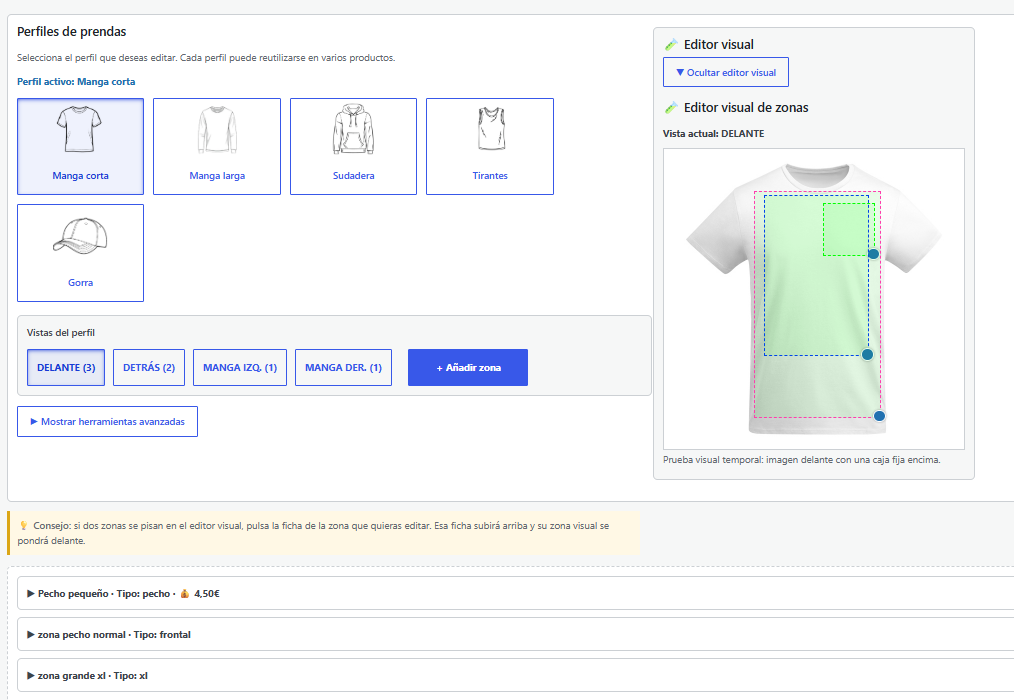
How Customers Personalize a T-Shirt
A simple and intuitive customization process can significantly increase conversions and reduce abandoned carts.
A typical customer journey looks like this:
- Select the T-shirt size and color.
- Add custom text such as a name, number, or message.
- Upload a logo, photo, or artwork (if required).
- Position and resize the design on the T-shirt.
- Preview the personalized product in real time.
- Add the product to the cart and complete the purchase.
The easier this process is, the more likely customers are to finish their order without needing additional assistance.
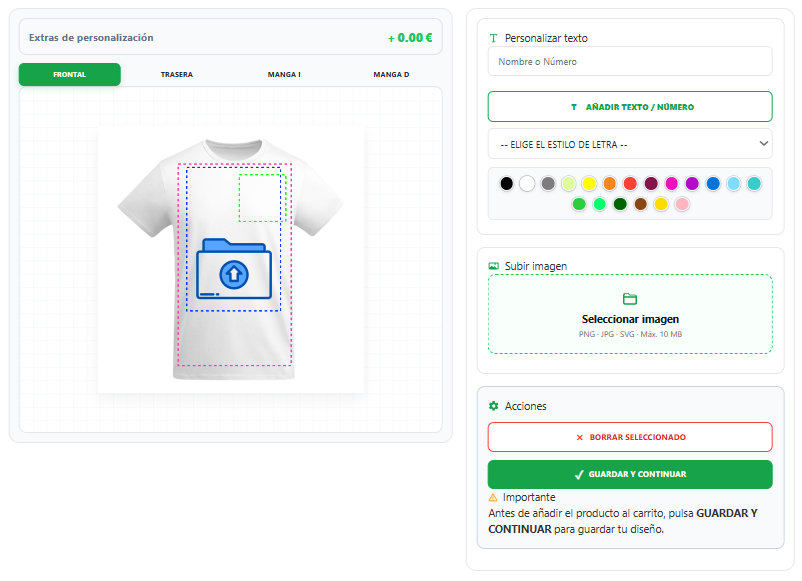
Features Every T-Shirt Customizer Should Include
Not all WooCommerce product customization solutions offer the same features. Choosing the right tool can make a huge difference in both customer satisfaction and your daily workflow.
A professional T-shirt customizer should include:
- Live product preview.
- Custom text with multiple fonts.
- Image and logo uploads.
- Drag-and-drop positioning.
- Image resizing and rotation.
- Multiple print areas (front, back, sleeves).
- Dynamic pricing based on personalization.
- Support for WooCommerce product variations.
- Mobile-friendly customization.
- Fast and intuitive user interface.
The more intuitive the personalization process is, the easier it becomes for customers to complete their purchase with confidence.
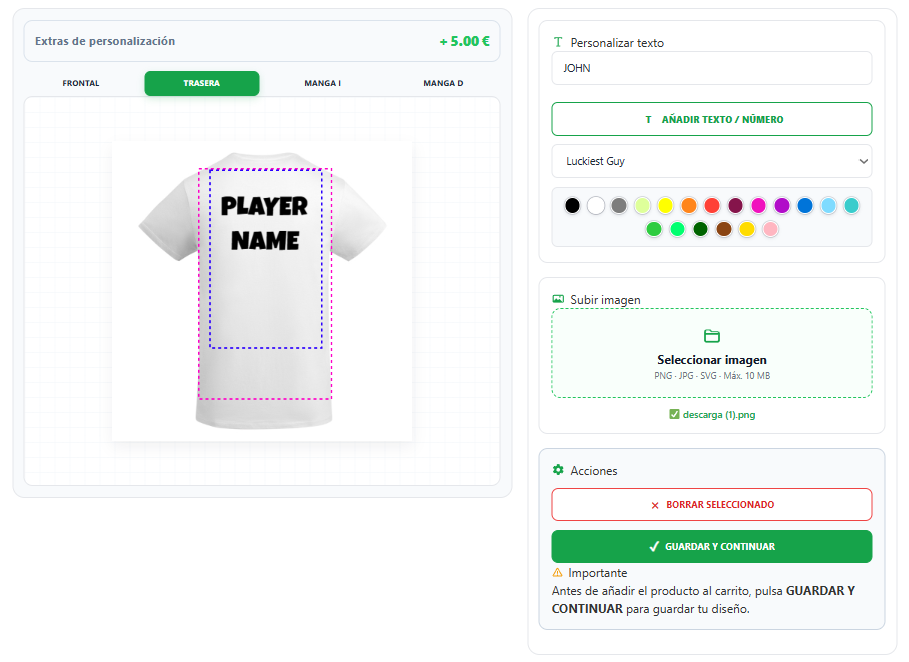
Common Mistakes When Selling Custom T-Shirts
Many online stores make the same mistakes when selling personalized T-shirts. Avoiding these problems can improve customer satisfaction and reduce production errors.
Some of the most common mistakes include:
- Asking customers to send their designs by email after placing an order.
- Not offering a live preview before checkout.
- Creating dozens of separate products instead of using WooCommerce variations.
- Allowing low-quality image uploads that result in poor print quality.
- Not supporting personalization on both the front and back of the T-shirt.
- Using a complicated customization process that frustrates customers.
A professional product personalization workflow helps customers complete their order faster while reducing manual work for your business.
Frequently Asked Questions
Can customers upload their own logo?
Yes. With the right WooCommerce product personalization solution, customers can upload logos, images, or artwork directly on the product page and preview the final result before purchasing.
Can I personalize both the front and back of a T-shirt?
Yes. Advanced product customization solutions allow customers to personalize multiple print areas, including the front, back, and even the sleeves.
Can I charge extra for personalization?
Yes. Many WooCommerce product customization plugins allow you to apply dynamic pricing based on text, images, print areas, or other personalization options.
Can customers preview their design before buying?
Yes. A live product preview lets customers see exactly how their personalized T-shirt will look before adding it to the cart, reducing mistakes and increasing confidence.
Why Choose LiveProduct Customizer?
If you want to sell personalized T-shirts professionally, you need more than a simple product page. Customers expect an intuitive customization experience that lets them create their own design before completing the purchase.
LiveProduct Customizer was built specifically for WooCommerce stores that sell personalized products. It allows customers to:
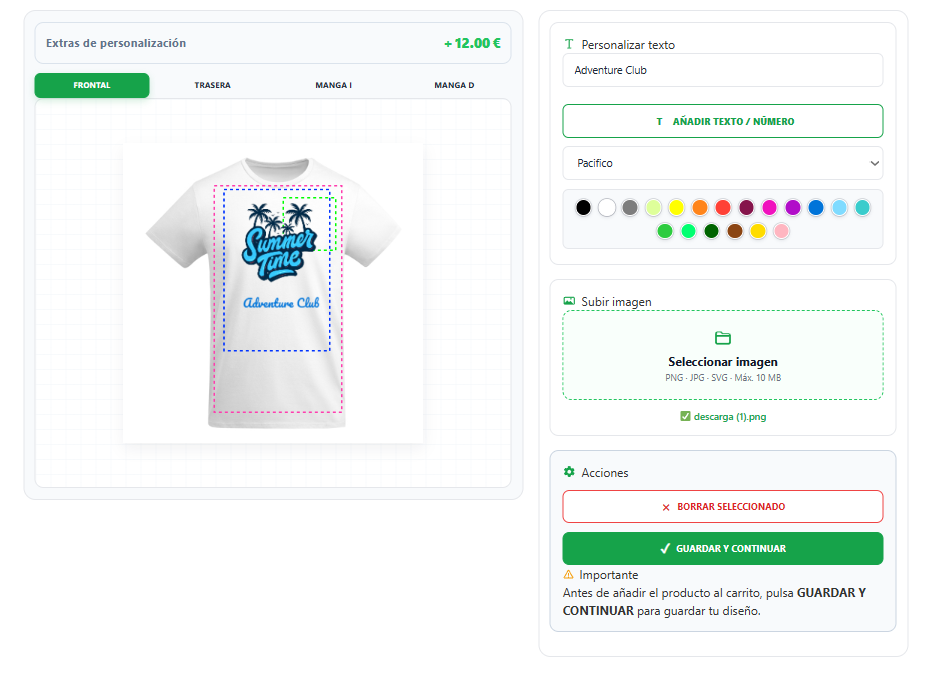
- Add custom text with multiple fonts and colors.
- Upload logos, images, and artwork.
- Preview their design in real time.
- Personalize multiple print areas, including the front, back, and sleeves.
- See pricing updates based on personalization options.
- Complete the entire customization process without leaving the product page.
This creates a faster, more enjoyable shopping experience while reducing manual work and production errors for store owners.
Try LiveProduct Customizer
Want to see how personalized T-shirts can be sold directly from a WooCommerce store?
Try the live demo to experience real-time text editing, image uploads, live previews, and multi-area personalization with LiveProduct Customizer.
Explore the demo or learn more about all the available features before creating your own personalized product store.
Final Thoughts
Selling custom T-shirts with WooCommerce is a great business opportunity, but creating a professional buying experience requires more than the default WooCommerce features.
By combining product variations with live personalization, text editing, image uploads, and real-time previews, you can offer customers exactly what they expect from a modern online customization store.
Whether you’re starting a new business or expanding an existing WooCommerce store, learning how to sell custom T-shirts with WooCommerce using the right product personalization solution will improve customer satisfaction, reduce production errors, and help increase conversions.