Selling personalized products is one of the fastest-growing trends in eCommerce. Customers no longer want generic products—they want items designed specifically for them. Whether it’s a custom t-shirt, a printed mug, a promotional product, or a personalized gift, shoppers expect an intuitive design experience directly on your website.
A WooCommerce Product Designer allows customers to customize products in real time by adding text, uploading images, changing colors, and previewing the final result before placing an order. This not only improves the shopping experience but also reduces errors and increases customer confidence.
In this guide, you’ll learn what a WooCommerce Product Designer is, the features it should include, how to add one to your store, and why it’s becoming an essential tool for businesses selling personalized products.
What Is a WooCommerce Product Designer?
A WooCommerce Product Designer is a visual customization tool that lets customers create their own product designs directly from your online store.
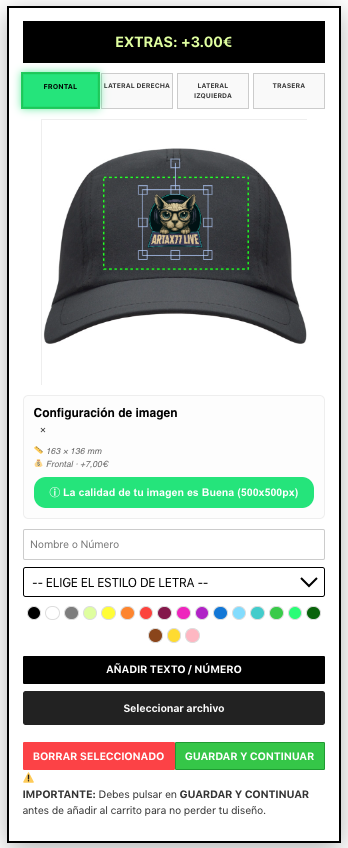
Instead of typing a short personalization message into a text box, customers can interact with the product itself. They can upload logos, add custom text, select fonts, resize elements, move them around, rotate objects, and instantly preview the final design before purchasing.
This type of interactive editor transforms a standard WooCommerce store into a professional personalization platform suitable for many industries, including:
- Custom apparel
- Print-on-demand businesses
- Promotional products
- Personalized gifts
- Sportswear
- Corporate merchandise
- Signage and printing services
By giving customers complete creative control, stores can offer a much more engaging buying experience while reducing misunderstandings during production.
Why Your Store Needs a Product Designer
Modern customers expect more than just choosing a size or color. They want to create unique products that reflect their personality, brand, or business.
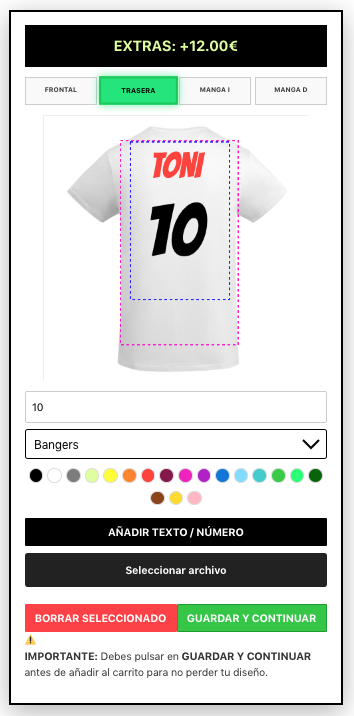
A WooCommerce Product Designer gives customers complete control over the customization process. Instead of sending design instructions by email or leaving notes during checkout, they can see exactly what their product will look like before placing an order.
This creates a better shopping experience while reducing production mistakes and customer support requests.
For store owners, it also means faster order processing, clearer design files, and higher customer satisfaction.
✔ Increase customer engagement
✔ Improve the shopping experience
✔ Reduce personalization errors
✔ Save time during production
✔ Increase conversion rates
✔ Sell higher-value personalized products
Key Features Every WooCommerce Product Designer Should Have
Not all WooCommerce Product Designer plugins offer the same functionality. If you want to provide a professional customization experience, your editor should include the features customers expect.
A complete product designer should be intuitive, fast, and flexible enough to support different types of personalized products, from clothing and promotional items to mugs, signs, and gifts.
Here are the most important features every WooCommerce Product Designer should include.
✔ Add custom text with multiple fonts
✔ Upload personal images and logos
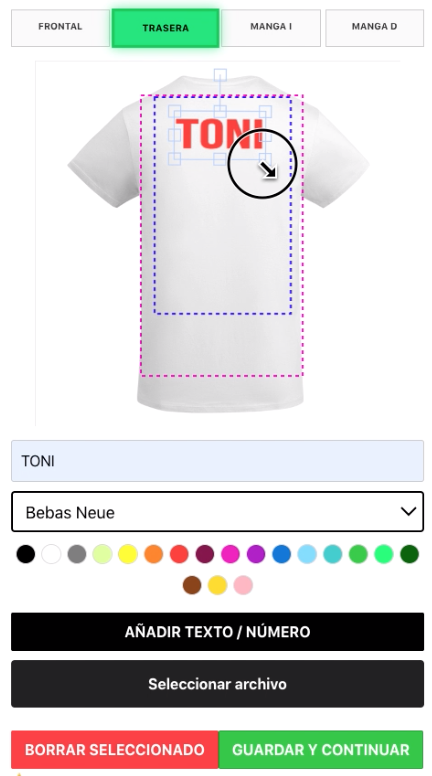
✔ Drag, resize, rotate, and position objects
✔ Real-time product preview
✔ Multiple product views (front, back, left, right)
✔ Editable print areas
✔ Automatic price calculation
✔ Support for variable WooCommerce products
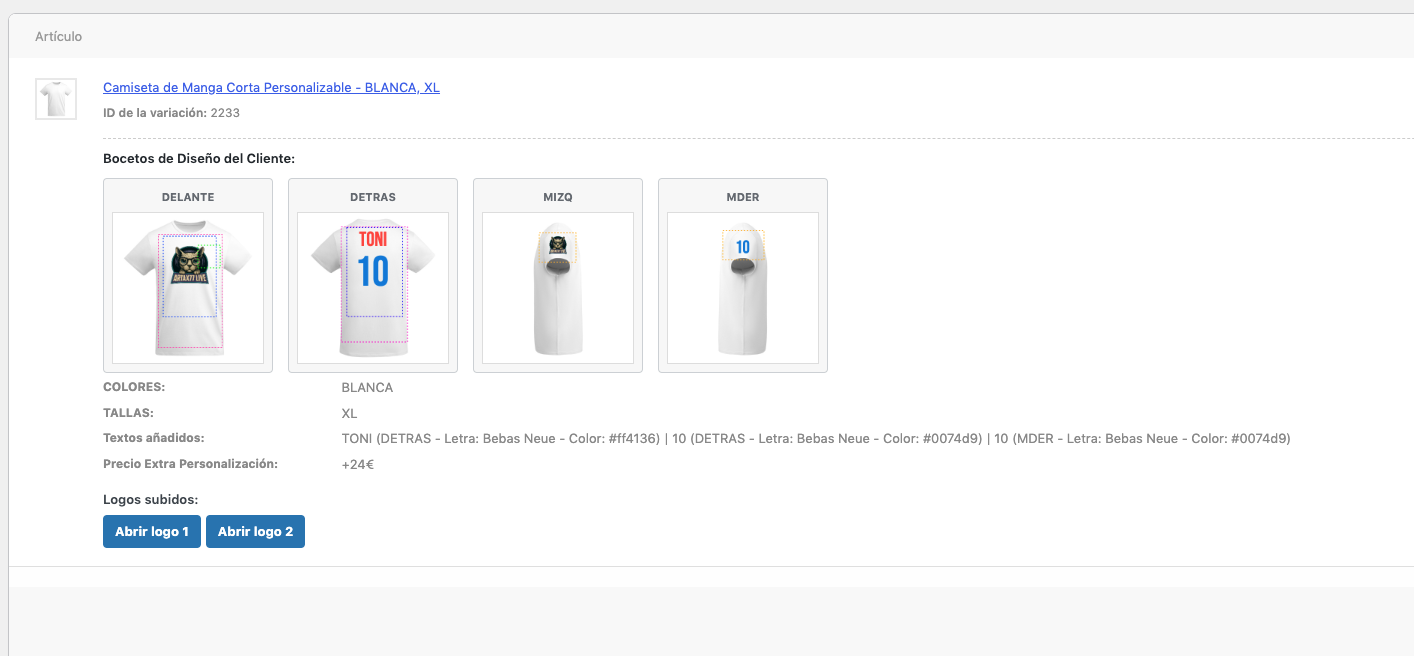
✔ Save the customer’s design with the order
✔ Mobile-friendly editor
These features help customers design products with confidence while making the production process easier for store owners. A modern WooCommerce Product Designer should simplify personalization without requiring any graphic design experience.
How to Add a Product Designer to WooCommerce
Adding a WooCommerce Product Designer to your store is easier than most people think. With the right plugin, you can create a professional personalization experience without writing any code.
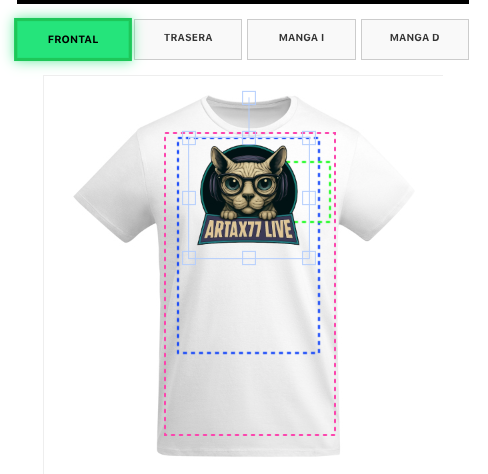
The process usually consists of creating a design template, assigning it to one or more WooCommerce products, configuring the editable areas, and publishing the product.
Once everything is configured, customers can start designing their own products directly from your store.
- Install LiveProduct Customizer.
- Create your first product template.
- Configure the editable print areas.
- Assign the template to a WooCommerce product.
- Test the customization process.
- Publish your personalized product.
If you are new to LiveProduct Customizer, you can follow the complete documentation where every step is explained with screenshots and practical examples.

What Products Can Be Personalized?
A professional WooCommerce Product Designer should not be limited to a single type of product. The best solutions allow businesses to personalize a wide variety of items using the same intuitive editor.
Whether you sell clothing, promotional merchandise, or personalized gifts, offering an easy-to-use customization tool helps customers create unique products while increasing the value of every order.
✔ T-shirts
✔ Polo shirts
✔ Hoodies
✔ Sweatshirts
✔ Caps
✔ Mugs
✔ Tote bags
✔ Posters
✔ Banners
✔ Stickers
✔ Promotional products
✔ Personalized gifts
With LiveProduct Customizer, the same customization workflow can be adapted to different product types, making it easy to manage both textile products and hard goods from a single WooCommerce store.
Why Choose LiveProduct Customizer?
Choosing the right WooCommerce Product Designer is about more than adding customization options. You need a solution that is easy for customers to use, simple to manage, and flexible enough to support different types of personalized products.
LiveProduct Customizer has been designed to provide a professional personalization experience without unnecessary complexity. Whether you sell clothing, promotional products, or custom merchandise, the plugin adapts to your workflow instead of forcing you to adapt to the software.
✔ Easy to configure
✔ Real-time visual editor
✔ Multiple product views
✔ Editable print areas
✔ Automatic price calculation
✔ WooCommerce integration
✔ Support for clothing and non-textile products
✔ Customer design saved with every order
✔ Mobile-friendly interface
✔ Lifetime license with optional yearly renewals
Every customer customization is automatically saved with the WooCommerce order, including product previews, uploaded images, custom text, colors, fonts, selected options, and additional personalization costs. This allows store owners to start production immediately without requesting additional information from the customer.
Frequently Asked Questions
What is a WooCommerce Product Designer?
A WooCommerce Product Designer is a visual editor that allows customers to personalize products before purchasing them. They can add text, upload images, change fonts, resize objects, and preview the final design in real time.
Can customers upload their own images?
Yes. Customers can upload logos, photos, and other images directly from their device and place them on the product using the visual editor.
Does it work with WooCommerce variable products?
Yes. LiveProduct Customizer is fully compatible with WooCommerce variable products, allowing customers to personalize different colors, sizes, and product variations.
Can I customize products with multiple views?
Yes. Products such as T-shirts, hoodies, caps, and other items can include multiple editable views, allowing customers to personalize the front, back, sleeves, or any other available area.
Are customer designs saved with the order?
Yes. Every customization is automatically saved together with the WooCommerce order, making production faster and reducing the need for manual clarification with customers.
Conclusion
Choosing the right WooCommerce Product Designer can transform the way you sell personalized products online. A professional customization experience increases customer confidence, reduces production errors, and helps your business stand out from the competition.
If you’re looking for a complete WooCommerce Product Designer with real-time previews, multiple product views, editable print areas, automatic pricing, and seamless WooCommerce integration, LiveProduct Customizer provides everything you need to start selling personalized products professionally.